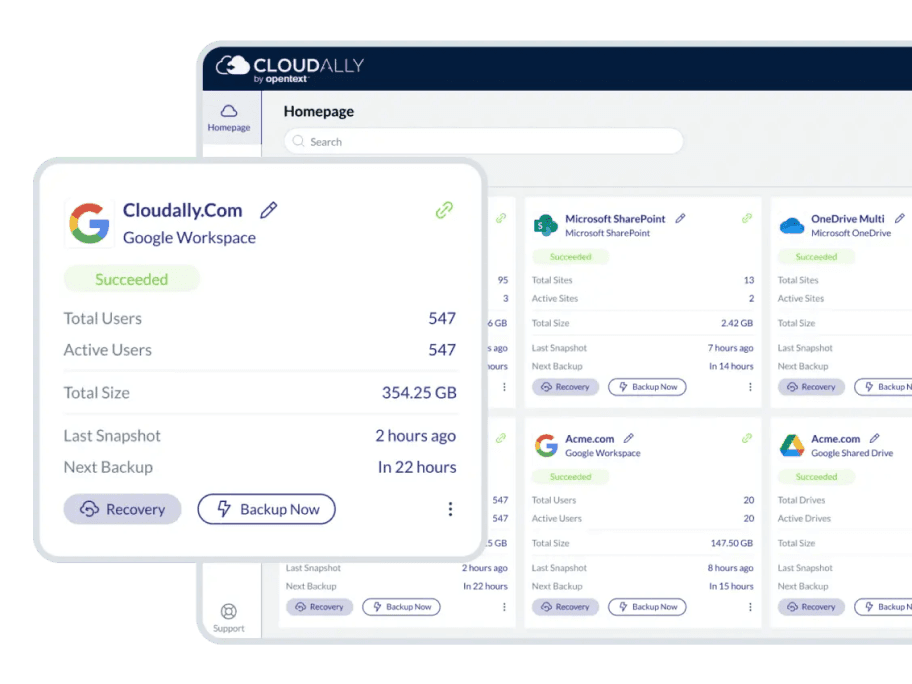
Google Workspace data protection from the SaaS backup experts
Secure your Google Workspace and Shared Drive Data with AWS S3 backup with unlimited retention.

Automated backup
Comprehensively protect all Google Workspace (formerly G Suite) data with automated/ on-demand backup to any storage.
Gmail, Shared Drives (formerly Team Drive), Calendars, Contacts, Tasks, and Metadata backup.

Anywhere / anywhere restore
Confident anytime / anywhere self-service recovery on the cloud for your global workforce.
Point-in-time, granular, and cross-user restore with unlimited retention. Export inactive account data and save on license costs.

Real-person service
365 x 24 x7 real-person customer support. Multi-channel availability via phone, chat, email and a dedicated Customer Hub.
Access an extensive knowledge base with video tutorials, troubleshooting tips, and user guides.

Secure and certified
Ensure compliance and ease audits with proven recoverability. Google Workspace mandated OAuth and MFA/2FA support. We are ISO27001 compliant, and support HIPAA and GDPR requirements.
Choose from eleven global data centers. Secure Amazon AWS S3 and HTTP-SSL encryption at rest and in-flight.
Why is it critical to back up Google Workspace data?
7 compelling reasons your business needs SaaS backup now
Don’t rely on native retention—95% of data loss stems from human error, outages, cyberattacks, sync issues, insider threats, and compliance gaps. Discover how missing backups can cost millions, disrupt operations, and threaten legal standing—and how Cloudally safeguards your Microsoft 365, Google Workspace, Salesforce, and more with unlimited snapshots, point-in-time recovery, and audit-ready compliance.
Trust the SaaS backup experts
Rely on our proven, mature and top-rated products, ranked by Newsweek* as a leading SaaS backup solution. Our comprehensive Google Workspace backup & recovery solution includes daily automated backup for all your G Suite data including:

Comprehensively protect all Google Workspace (formerly G Suite) data with automated/On-demand backup to any storage. Gmail, Shared Drives (formerly Team Drive), Calendars, Contacts, Tasks, and Metadata.
Self-service anytime/anywhere recovery for your global workforce to confidently be on the cloud. Point-in-time, granular, and cross-user restore with unlimited retention.

Ease audits with compliance support and proven recoverability. Google Workspace and mandated Oauth andMFA/2FA support. We are ISO27001 compliant, and support HIPAA and GDPR requirements. Global data centers of your choice. Secure Amazon AWS S3 data encryption.

Reclaim control of your data with support to export archived data for local access in zip format or to your own S3, Azure, Box or Dropbox storage. Backup inactive account data and save on license costs. Access any archive with unlimited data retention.

Google Drive

Gmail

Google Contacts

Google Calendar

Google Tasks
Secure your data with our Google Workspace backup and recovery
Google Workspace cannot protect you from data loss at your end due to human, error, malicious intent, outages, sync errors, hackers, or malware.
Google Workspace is a powerful platform. However, it lacks the daily backup and archiving process. Native options like Vault are primarily for e-discovery, do not offer seamless recovery, are destructive (overwrite existing data), and come at an extra cost. Moreover, once your data has been deleted from Trash, manually or automatically, it’s permanently gone.
When you add to the equation the likelihood of employee errors and the frequency of malware attacks and security breaches, you have a significant cybersecurity gap that can cause business-critical data loss without any chance of recovery.
Although your data is hosted by Google, maintaining control and protection of your business data in case of security threats or accidental deletion is ultimately your company’s responsibility. Google Workspace Admin Help states, “You have a limited time from when the data was permanently deleted to restore files and messages. After that, the data cannot be recovered and is gone forever”. As do Gartner and Forrester. Data regulatory laws like the GDPR and HIPAA also mandate demonstrable recoverability.
**Excluding Google Photos
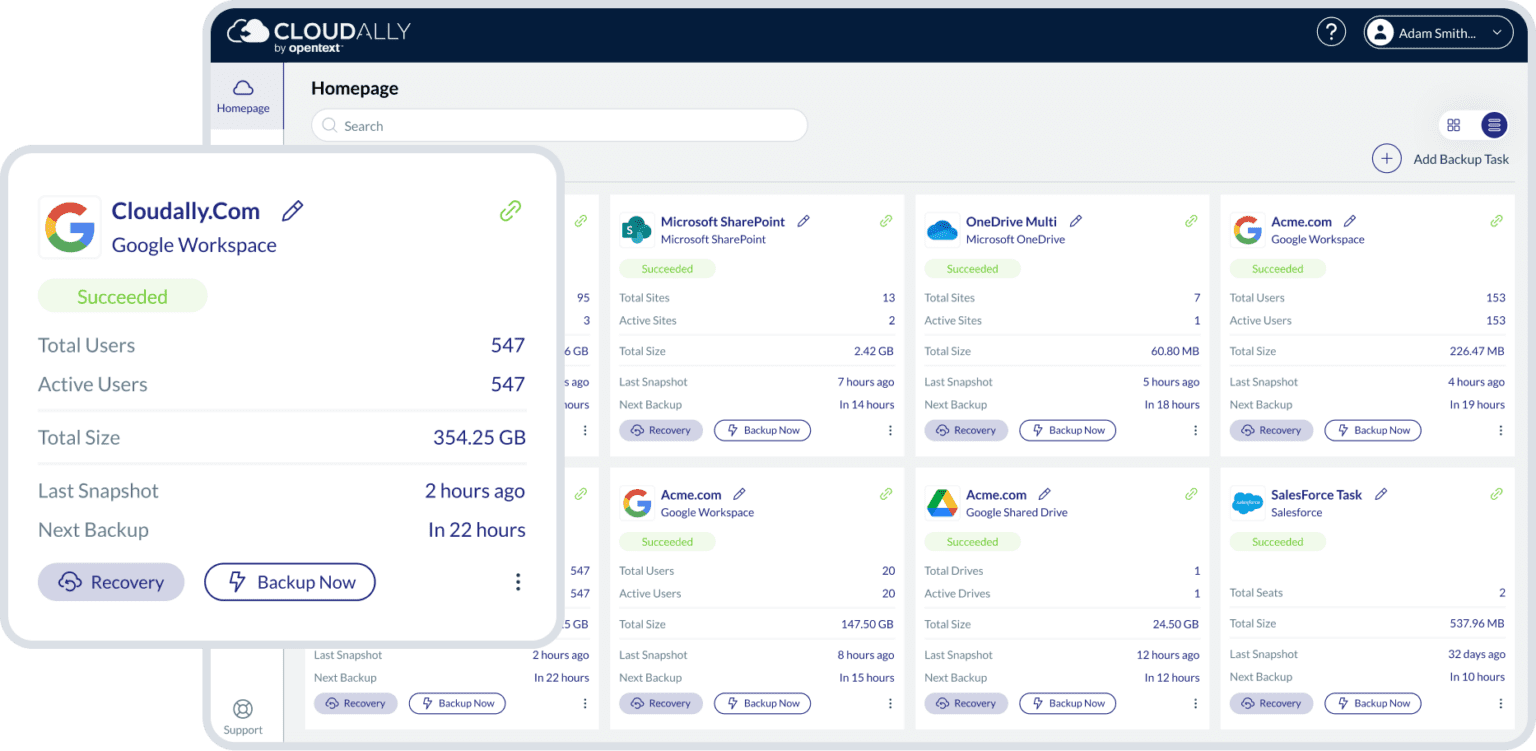
Choose a workspace backup solution tailored for your business.

Intelligent workforce management
Simplified employee on-boarding and off-boarding with bulk activation and automated addition/deletion users. Thus employees have their data backed up from day one on the job. Backup of multiple domains and multi-admin support is also included. We also backup inactive Google Workspace Backup account data and provide cross-user restore, so there is seamless data transfer between exits and new employees.

Flexible recovery options to any storage with unlimited retention
Quickly recover data without overwriting existing information using point-in-time, non-destructive restore. Our visual historical snapshots ease point-in-time recovery, and advanced search and filter options help restore individual items or entire mailboxes in a snap. All with unlimited retention, so you are not limited by retention policies. We have added capability to self-service recovery and backup to your own cloud S3 compatible storage (BYOS).

Zero adoption effort, intuitive admin-friendly UI
Our Google Workspace backup comes with seamless integration with all Google Workspace plans. Our user interface is intuitive, allowing for quick and easy OOTB usage with two-click recovery. And for Google Workspace administrators, we offer advanced user management, transparent status monitoring, email alerts and activity logs.

We have your back(up) secure and always available
Your G Suite backup is fully protected with AES-256 data encryption at rest and in-transit, and a 99.9% uptime SLA. We offer your choice of global data centers and support GDPR and HIPAA compliance. We’re also ISO 27001 certified. Our G Suite backup has in-built secure authentication with MFA/2FA, OAuth and Okta support.
Features

Seamless backup
Automated backup of all or selected users with new users/sites auto-detected. Metadata backup. Single repository Exchange backup

Audit-ready with global data centers
Meet compliance requirements with your choice of datacenters in EU, NA, and APAC. We support HIPAA and GDPR compliance. Secure Amazon S3 Encryption.

Reclaim control of your data
Skip the stress of Google Workspace data retention policies with unlimited data retention. Zip and export archived data at any hierarchical level. Backup to your own storage. Save on licensing costs with backup of inactive account data. Single repository backups.

Flexible recovery for a global workforce
Granular restore with advanced search, point-in-time restore with historical snapshot, cross-user restore, non-destructive restore, recover entire mailboxes
Secure authentication
Secure cloud backup with 2FA/MFA and Okta support. Use OAuth to provision your backups and eliminate the need to store your credentials. Immutable Storage – Object Lock minimize the accidental or malicious loss of data.

Admin-friendly tools
Manage multiple domains from a single account. Daily backup notifications. Activity logs. Auto-activate new Google Workspace users. Cross-user restore for easy employee management.

Non-destructive recovery with unlimited retention
Non-destructive restore to the same Google Workspace user or to another. Unlimited storage and unlimited data retention.
Interactive product tour
Try OpenText Cloudally Backup for Google Workspace. No download, no setup. Just a hands-on Google Workspace cloud-to-cloud backup interactive tour. Seamlessly explore our SaaS Data Protection Platform with interactive cloud backup tours. Activate a Google Workspace backup, recover lost data, and explore security features.
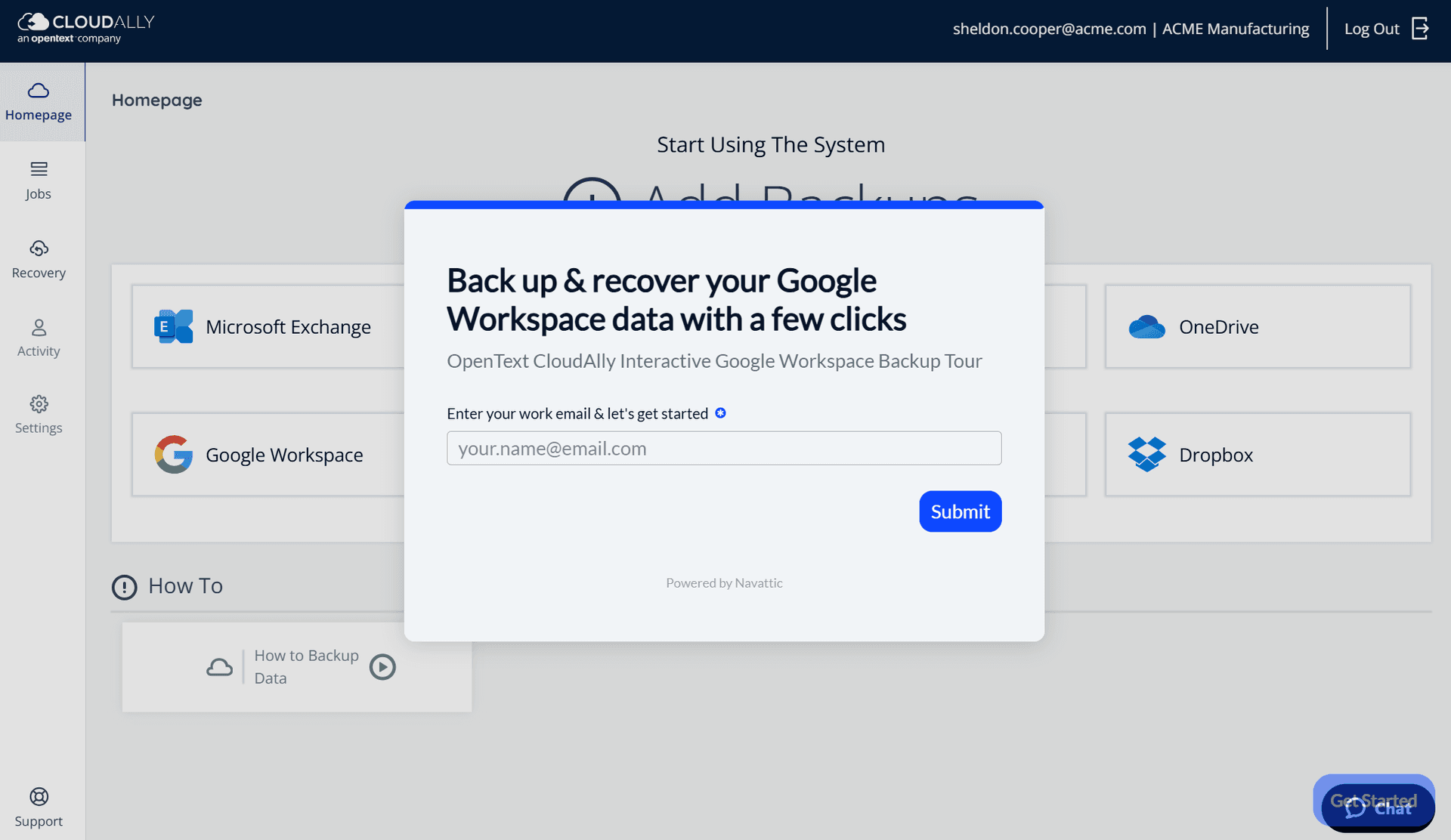
Google Workspace backup security
Stringently secure and compliance supported
- Supports HIPAA compliance requirements
- Strong encryption
- Global datacenters, built on Amazon Web Service (AWS)
- Intrusion detection
- Compartmentalized access
- 99.99% uptime
Resources

Cloud-to-cloud backup and restore for Gmail, drives, shared drives, calendars, contacts, tasks and metadata.
Google Workspace data is now securely protected with easy recovery from data loss. Read this user guide to lear more.
FAQs
View our frequently asked questions on Google Workspace Backup, built-in Google Workspace capabilities, and Google Workspace retention policies:
Google Vault is an archiving tool that may seem like a built-in backup utility, but it’s not designed as a backup service to save data from loss or corruption. Instead, it is intended to be an archive location to support eDiscovery. This additional G Suite application mainly works to help organizations with a way to archive data, and use eDiscovery in order to comply with legal requirements. Google Vault provides organizations with the ability to archive data and set retention rules, thus preserving users by placing "legal holds," and also allows for IT admins to search the organization’s data, export needed data for further processing, and analyze the activities of other Vault users via its built-in audit reports.
Plainly put, Google Vault is not a backup solution, even if there are methods to use it in order to restore lost data in some particular situations. It's paramount to understand and differentiate Google Vault from a backup solution, simply because its primary function is to archive and hold data so that it can be found going forward. True backup and restore solutions are set up to maintain the integrity of your business data by continuously replicating a version, which can be used to replace the primary data if and when it is needed, in instances of Malware, malicious deletion, accidental, or simply software error. IT managers who attempt to make use of Google Vault for backup and recovery instead of a third-party backup solution find it will not function as a true primary data replacement solution. Its restore process and capability is cumbersome and slow.
‘Google Takeout’ is a Google service which allows users the ability to export and also archive their personal data, from Gmail, YouTube, Google Hangouts, Google Photos, Blogger, etc. These exported files are downloadable as.zip or .tgz formats.
The user can select to export all of the available services or choose services from the above mentioned list. Google Takeout will then process the request and put all the files into a zip file. There is an option to send out an email notification once the export is completed, at which point the user can download the archive from the downloads section of the website. The zip file contains a separate folder for each service that was selected for export.
Google Takeout is not designed as a backup solution, and it was developed by an internal engineering team known as the Google Data Liberation Front as a means for users to simply extract their data from within Google applications. As such, Google Takeout extracts a copy of data that could be used for restoration in a data loss occurrence, but for enterprises it's an impractical, outdated solution with severe limitations.
The Google Backup and Sync is downloadable software, not cloud-based, that takes data stored on a Mac / PC—documents, photos, videos, etc.—and systematically syncs them to a Google Drive account in the cloud. Backup and Sync was released in July 2017 (replacing the discontinued Google Drive desktop client). The software's main function is to sync data remotely while safeguarding from hardware failure and risks associated with physical data storage.
Google Workspace (G Suite) is a secure solution, and its data is encrypted "at rest," within backup media, and while in transit between user devices and Google, or between Google data centers. Google utilizes a high 2048-bit RSA encryption key model claiming to be the “first major cloud provider to enable perfect forward secrecy” that guarantees the encryption of data even as it moves between Google and other companies on the internet. View more about Google G Suite security.
Google does perform a backup of your Google Workspace (G Suite) data, emails, docs, and such, so it guarantees that your data remains available continuously with its own internal backup and disaster recovery. The important issue is that these backups are unavailable to system admins, or for that matter end users, and exist only to safeguard Google from its own data loss incidence. Hence, Google does not protect data from error for your business organization, such as accidental and or malicious user deletion, software errors, malware, ransomware, etc.
Before 2017, Google's own policy declared that it “may terminate your account in accordance with the terms of service if you fail to log in to your account for a period of nine months.” Google has removed this statement, and there is no current policy of automatic deletion following a period of inactivity. Thus, inactive Gmail accounts should remain in place, as is.
Google Gmail will keep your emails for an indefinite period of time, and there is no stated policy of deletion, regardless of their date. Hence, all emails are kept forever, unless they are deleted by the user. After deletion, the email is kept in the trash folder for a period of 30 days, available for recovery, before it’s deleted permanently. Also, spam emails are automatically deleted after a 30-day period unless the user modifies their status.
The short answer is no. If an email has been permanently deleted, it’s not possible to recover it, without a backup & restore solution, activated prior to the deletion date. But, the organization’s G Suite system admin, or IT manager, might be able to restore the emails by:
- Using the system admin console within a period of 25 days of deletion. After the 25 day period, the data is purged forever.
- Mailboxes (including deleted messages) from the past 30 days can be recovered using the Email Audit API.
Businesses that understand they are responsible for the business data and wish to enable a restore from any point in time, with an unlimited retention period, realize that that third-party solutions are necessary to assist the IT department to restore Google Workspace (G Suite) data. Google’s document on Privacy and Copyright Protection clarifies this issue:
“When permitted by law, Google, and Google’s suppliers and distributors, will not be responsible for lost profits, revenues, or data, financial losses or indirect, special, consequential, exemplary, or punitive damages.”
“In all cases, Google, and its suppliers and distributors, will not be liable for any loss or damage that is not reasonably foreseeable.”
Business continuity is assured when the organization's IT understands that the data is the lifeline of the company, and since data loss incidents occur daily, a third-party backup is essential. Google does not take responsibility for the organization data, and any data loss. Data protection is imperative even when cloud solutions are in place.
Yes, if it’s a subdomain, please contact support support@cloudally.com and a specialist will activate the backups for you. If you have unique Google Apps domains, simply sign in to your Google domain with admin rights and activate a backup with OpenText Cloudally Backup for Google Workspace. You can repeat this process for all your domains.