How to export Microsoft Office 365 Exchange Online mailbox to PST? (with one click!)
Export Office 365 mailboxes to PST using eDiscovery, but third-party solutions offer simpler, one-click options.

Michael Schneider
January 23, 2022•4 min read

Exporting a Microsoft (Office 365) Exchange mailbox to PST is a must-have capability. Apart from backup and migration, you need to export Exchange online mailboxes to PST for archival, legal, and compliance reasons. As with on-premises Exchange, there is no straightforward way to export your Exchange online mailbox using native Microsoft 365 options. In this blog, we detail a native workaround to export an Office 365 mailbox to PST using eDiscovery, as well as third-party options.
Using eDiscovery to export Exchange Online mailbox to PST
On-premises Exchange has a New-MailboxExportRequest cmdlet to export your on-premises mailbox. There is no such option with online Exchange. eDiscovery, however, does provide an alternative.
Log in to your Microsoft 365 account and go to the Exchange Admin Center. Click Admin Center and then Security and Compliance. Use the Content Search eDiscovery tool to search and find the mailbox. On locating it, export it to a PST file.
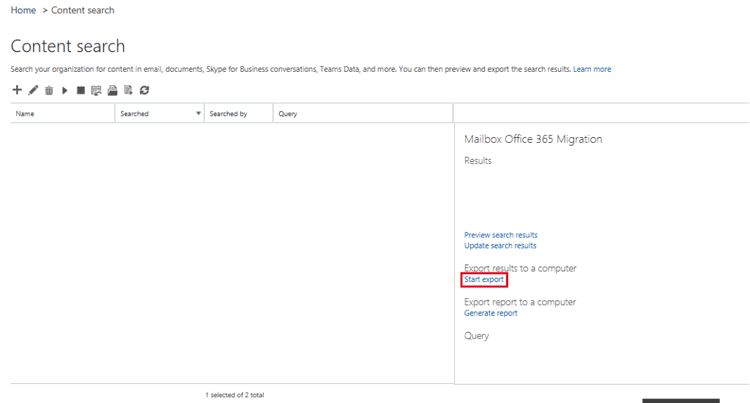
You can export the entire mailbox of a selected user or group of users.
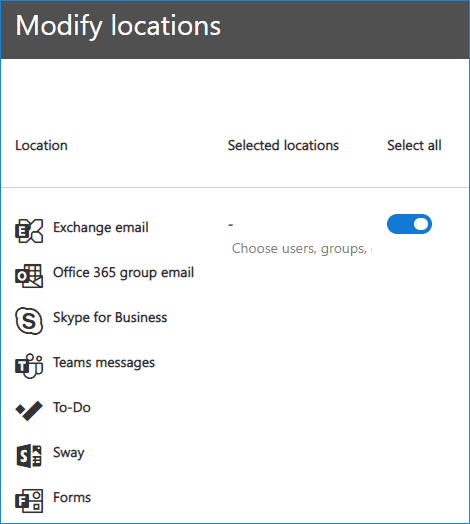
You can also “filter” the export based on different criteria, such as date received, subject, type, etc.
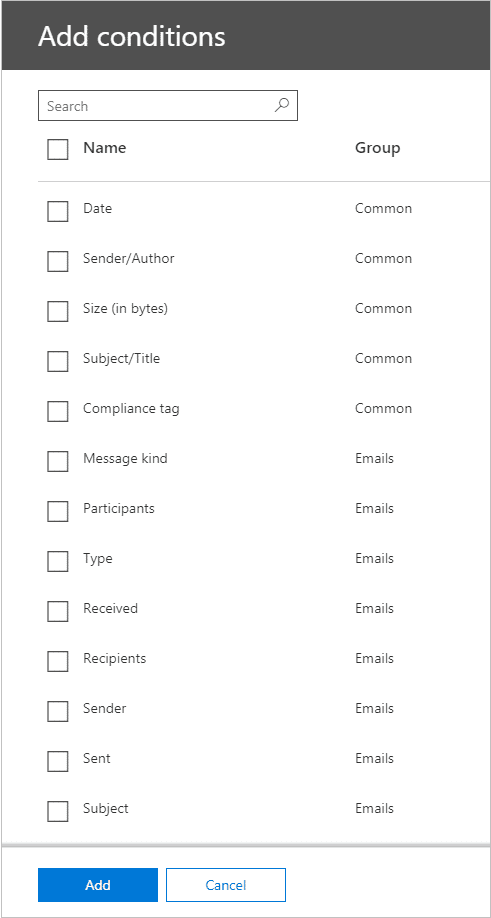
When done with the filtering, click Save and run and enter the name of the search and its description. After you click Save, the wizard will perform the search in the background.
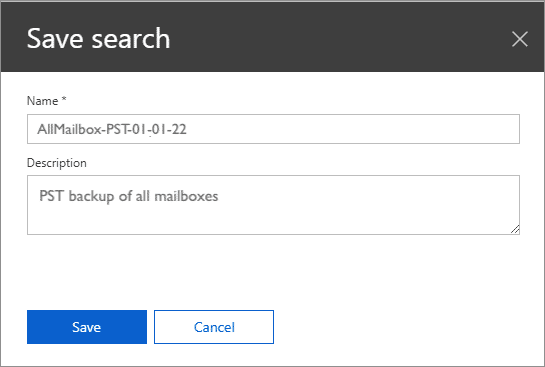
When the search has been completed, a popup will notify you. Click Export results
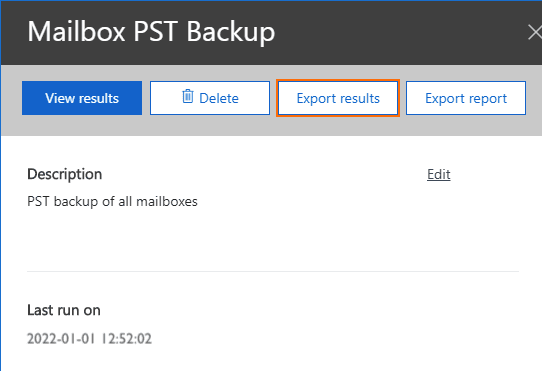
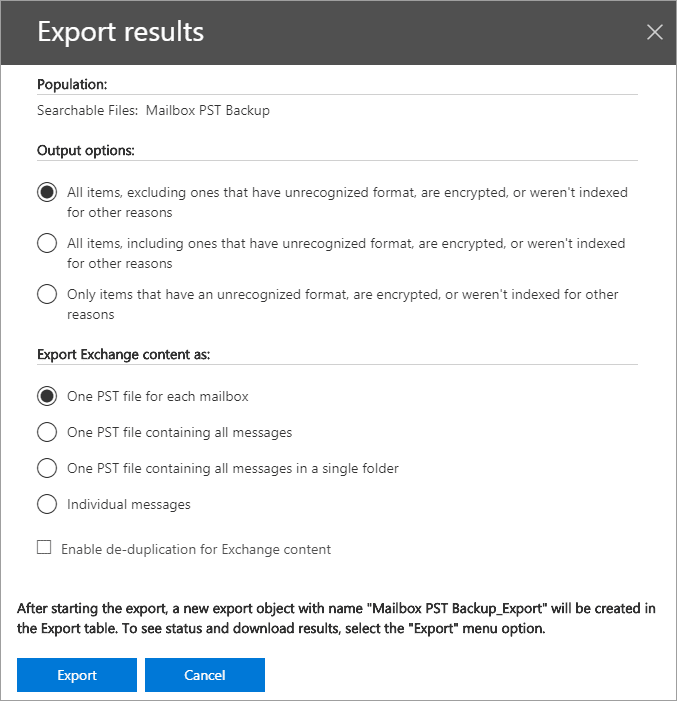
In this step, you can choose if you want to include encrypted files and other options to export the Exchange content. Default works best
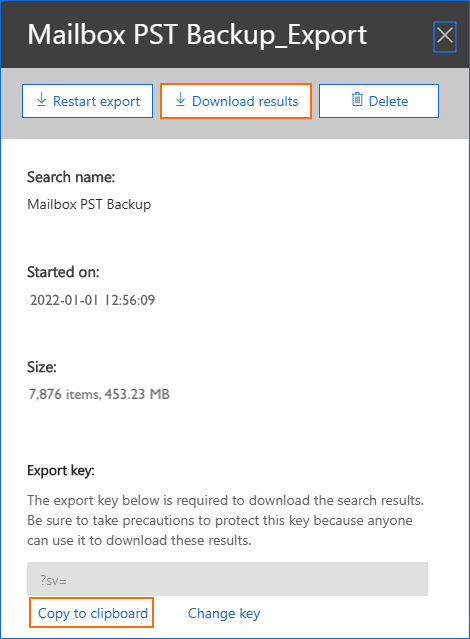
When the export is finished, a pop-up will notify you to download the results. Remember to copy the “Export key” to ensure that you can view the download.
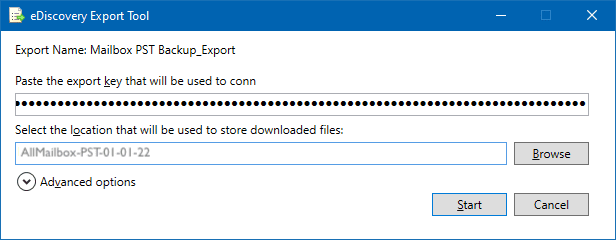
Finally, use the “Export key” to download the PST file to your desired location.
Note: You have to be part of the eDiscovery Manager role group to perform this task. If your account does not have the mailbox import/export role assigned, quickly add it using a PowerShell cmdlet:
New-ManagementRoleAssignment –Role “Mailbox Import Export” –User “user name”
Limitations of eDiscovery for export of Exchange Online mailbox
Apart from it being a multi-step manual process, there are other limitations of using eDiscovery for export of Exchange Online mailbox, such as:
- Only specific browsers are supported, as the export is performed via a click-once application. It will only work with Internet Explorer or Microsoft Edge browsers unless you add the click-once extension to other browsers.
- The export to PST often creates duplicate items as eDiscovery considers multiple instances of the same email message as separate objects. Checking “Enable de-duplication” does resolve this, but is also error-prone as it often treats unique objects as duplicate ones.
- Search is problematic and tedious.
- All in all it is a manual, error-prone, time-consuming process – not the best option for the modern enterprise.
One-click export of Exchange mailbox to PST
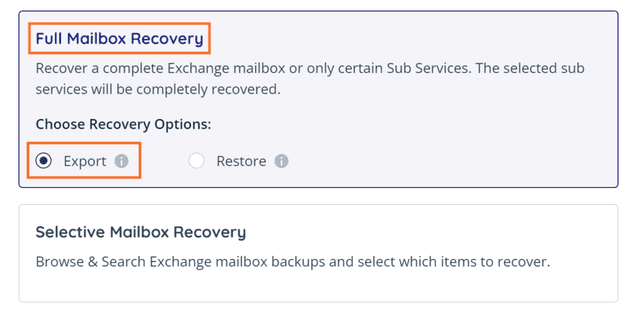
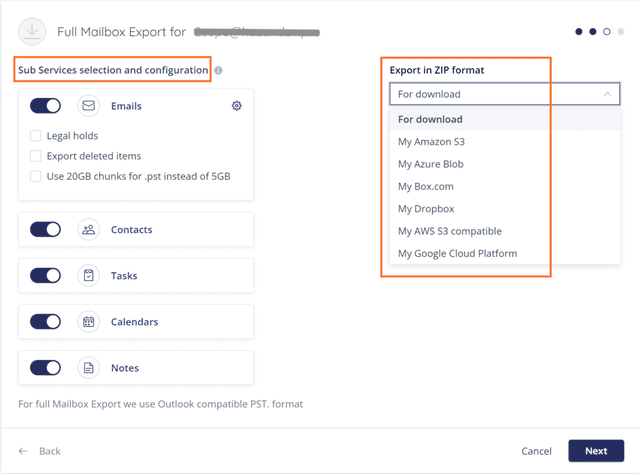
OpenText Cloudally Backup for Microsoft Exchange includes one-click export of Exchange mailbox to PST. Export all Exchange account data (Email, Calendar, Notes, Contacts, and Tasks) for a user with a single click of the “Recovery” button. This is especially helpful when on/off-boarding to store data of inactive users.
Watch how easy it is to backup, recover and export your M365 data with OpenText Cloudally Backup for Microsoft 365

Export full/partial Exchange mailbox with one click
Select some/all sub-services of Exchange mailbox and export in ZIP format or to your storage bucket
Protect all your Microsoft 365 data – Mail, Calendar, Contacts, Tasks, Groups, Teams, OneDrive, SharePoint, and Public Folders – with one proven solution.

Michael Schneider
Michael Schneider is a Senior Marketing Director at OpenText Cybersecurity, focused on SaaS marketing and go-to-market strategy. He joined OpenText through the acquisition of CloudAlly, where he served as Marketing Director for over nine years, scaling the company to 30,000 customers and delivering 8x revenue growth ahead of its 2021 exit. Michael holds an MBA from The Open University and a Bachelor's degree in Business Administration and Economics from Richmond, The American International University in London. He is passionate about data-driven marketing that accelerates SaaS growth.
