Log in to renew or modify your cybersecurity license(s)

Log in with your Opentext Management Console account credentials:
Error
error
Error
We could not renew your license at this time.
Error message: ((error))
Please contact us at 1-866-350-6089 if you need any assistance.
How to find your keycode
If you have Webroot® security installed:
Open the Webroot SecureAnywhere® program on your computer. The icon can be found in the bottom right of your desktop screen in the system tray. Please note that the color of the icon may change, depending on how close your subscription is to expiration.
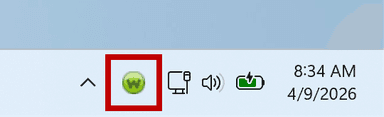
You may need to click on the arrow to ‘Show hidden icons’ in order to find it.
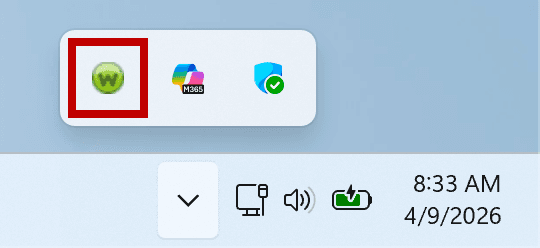
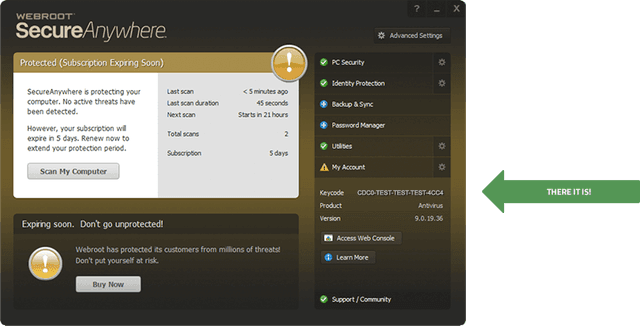
Once the Webroot SecureAnywhere® program is open, click My Account.
Your keycode is displayed on that screen.
Additionally, if a renewal message appears in your Webroot SecureAnywhere® program window, you can click the message to manage the renewal process.
If you do not have Webroot SecureAnywhere installed:
Click here to request a copy of your keycode.
Need more help? Call us at 1-866-350-6089
Need help?
If you need assistance with managing your SMB Cybersecurity product license(s), please contact the Opentext Cybersecurity Customer Success team.
Error
Partner Renewal
Our records indicate you purchased through a Partner. Please contact your original Partner to renew.
Need Help? Contact Support